Cap. Blender Update and Architecture
It's been a few days since I've posted, but I haven't been idle from Blender in that time! I am happy to say that Captain Blender's bones are now fully attached to his skin and I'm working on finishing up the rigging process tonight with some shape keys. I may have a quick test animation tomorrow up for you!
In other projects, I have started another house model. This is actually a house and not just my apartment, so should be much more interesting! It is based on my girlfriend's parents place, with the long term goal of being able to see what a planned addition will look like. There are the original blueprints scanned in (sorry for bad quality):
I have finished outlining the walls of the original blueprint and will be traveling there this weekend, so will be able to do some measuring of some things that aren't in the blueprint. Here is what the outline looks like so far, nothing too exciting!
The blueprints are in feet and inches, so I've had to tell Blender to break up it's units into twelves to account for this. I've also adjusted everything to the nearest inch to accomodate this, which shouldn't be a huge problem when doing a whole house.
That's about it for now, but hopefully something exciting for tomorrow!
HAIR!!

He is going with the messy hair look right now, but surprisingly it's so easy to change! The Intro to Character Animation book takes you through mapping the hair particles to a bezier curve, which I tried, but came out horribly. After fooling around a bit I went through a quick 2.46 hair tutorial and viola.
I never used the particle system in the older versions of Blender, but apparently most of these features are new to 2.46. You can basically style his hair as if you were a hair dresser by combing, cutting, and much more. I went with the messy hair look because that's what I typically wear: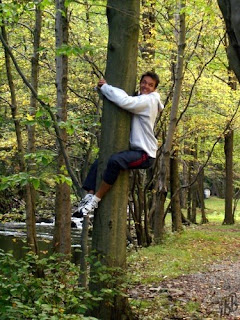
The next step is working on the armature for him. I'll probably get to some tonight, but I'm away for the next 4 or 5 days to NC for business/pleasure, so won't get to too much. Will update soon!
Captain Blender Cont.

He obviously needs a lot more tweaking and some eyes, but I didn't get too involved last night. It was a nice day on the east coast, so I went out for a run instead! His face is very square, which being a hero like character will turn out that way in the end anyway I think.
I also ran across another little project of mine.
This is Sheldon from the old US Acre/Garfield comics, I used to love that show! I'm hoping to animate him a bit after I get the hang of everything. I figure he'll be pretty easy!
One of my favorite episodes of US Acres is Sheldon's, here.
Blender Animation

I just added some doors and windows, but like I said, got a bit bored. I do plan on modelling an entire house this summer once I get a hold of the blueprints. I'll then try to put together a little video fly through of it. We'll see how that turns out!
Now we get a bit more interesting. I ran through an intro character animation tutorial (the gingerbread man "Gus" for those familiar) a few weeks ago. This got me sort of hooked on the animation side of Blender. You can see the animation here:
It is far from perfect! However, it was my very first animation with Blender, so I was excited about it. There are obviously a lot of little problems with it, like his candy buttons and face don't move with the body, but overall I was just excited I could get something to move!
Gus got me all gung ho for animation, so I ran out and found Tony Mullen's book "Introducing Character Animation with Blender." The book is fantastic so far! He gives just enough instruction so a new user like me can figure it out, but not too much that it gets too much like following a cookbook.
The book goes through the modelling and animation of "Captain Blender," a Mr. Incredible-like super hero. I haven't quite completed modelling him yet, but am working on it now:

As you can tell I'm still working on the head and face. You have to think differently about a character model that you intend to animate. It's much easier just modeling it for a still image! I think his hands are also a bit big, but that may be the camera angle.
That is about up to date on my Blender progress. I work on it sporadically, but will update here when I do!
