Action Constraints
Another very quick update today. I'm working on some action constraints for the Captain Blender rig and decided to test out some screen capture utilities to show the animation. Keeping with my Open Source theme I'm using Cam Studio to capture my screen. This software is very easy to use and very minimalistic. I wish there were some shortcut keys to start recording and end recording, but I didn't read a lot of information about it, so there very well could be.
The first action is the Fingers Curl action. This is simply the action of making a fist with the finger bones.
CB Fingers Curl from Tim Brown on Vimeo.
The second video is what is called Toe Heel Roll. This is the action of rolling the foot from toe to heel.
CB Toe Heel Roll from Tim Brown on Vimeo.
There is one more action constraint to add which is spreading the fingers, but I didn't have a chance to get to that last night. Once all the action constraints are added I will start attaching the bones to the mesh. Enjoy!
Bones...
A real quick update for Captain Blender. I am a bit bored at work today, so decided to finish up his bones!
He has quite a number of bones. A lot of which are there for reference for IK chains and locations. I'm not exactly sure how the animating process is going to go, but I'm sure I'll find out in a little while. The next step is to attach these to the mesh!
Composite Testing
As promised I do have a Blender update this afternoon. Instead of working on Captain Blender last night I did a little bit of composite testing. I've always been impressed with people who could add computer graphics to still images or videos and decided to attempt to do a quick one myself.

This is actually quite fun to do and with a number of models and good background images you can come up with some pretty cool pictures. I particularly like this one on BlenderArtists.
Catskill Hiking Trip


It was pretty tough, but all four of us made it through without any major incidents. The view from the summit was unfortunately a bit cloudy/stormy, but was still quite a site.
The following day we took it easy and did a quick mile hike to Kaaterskill Falls which was spectacular as well. This is the highest waterfall in the state and offers the unique ability to walk directly underneath the top section of falls.

With all this activity there was no Blendering this weekend, but I'll see if I can't remedy that tonight!
HAIR!!

He is going with the messy hair look right now, but surprisingly it's so easy to change! The Intro to Character Animation book takes you through mapping the hair particles to a bezier curve, which I tried, but came out horribly. After fooling around a bit I went through a quick 2.46 hair tutorial and viola.
I never used the particle system in the older versions of Blender, but apparently most of these features are new to 2.46. You can basically style his hair as if you were a hair dresser by combing, cutting, and much more. I went with the messy hair look because that's what I typically wear: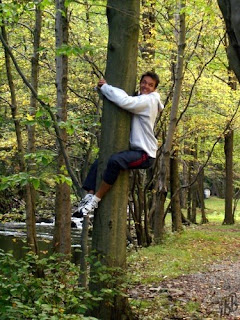
The next step is working on the armature for him. I'll probably get to some tonight, but I'm away for the next 4 or 5 days to NC for business/pleasure, so won't get to too much. Will update soon!
GIMP Watermark Script
I'm just getting back into the swing of things after a few week business trip to the UK. Captain Blender is coming along nicely and I should be adding the materials, textures, and hair in the next few days. I cheated a little bit with the modelling and skipped ahead by grabbing the files off of the DVD accompanying the book, but I don't feel too bad about it. I did originally get the book to do some animation and all I've done so far is model! I'm excited about the next rigging part though. I should also be able to do some work with the new 2.46 Blender version with his hair. We'll see how everything turns out, but will update soon!

